Elevate - Brain Training Games
- 4.6
- Rating
- 10.00M
- Installs
- Free
- Price

 Analysis by App-foxy
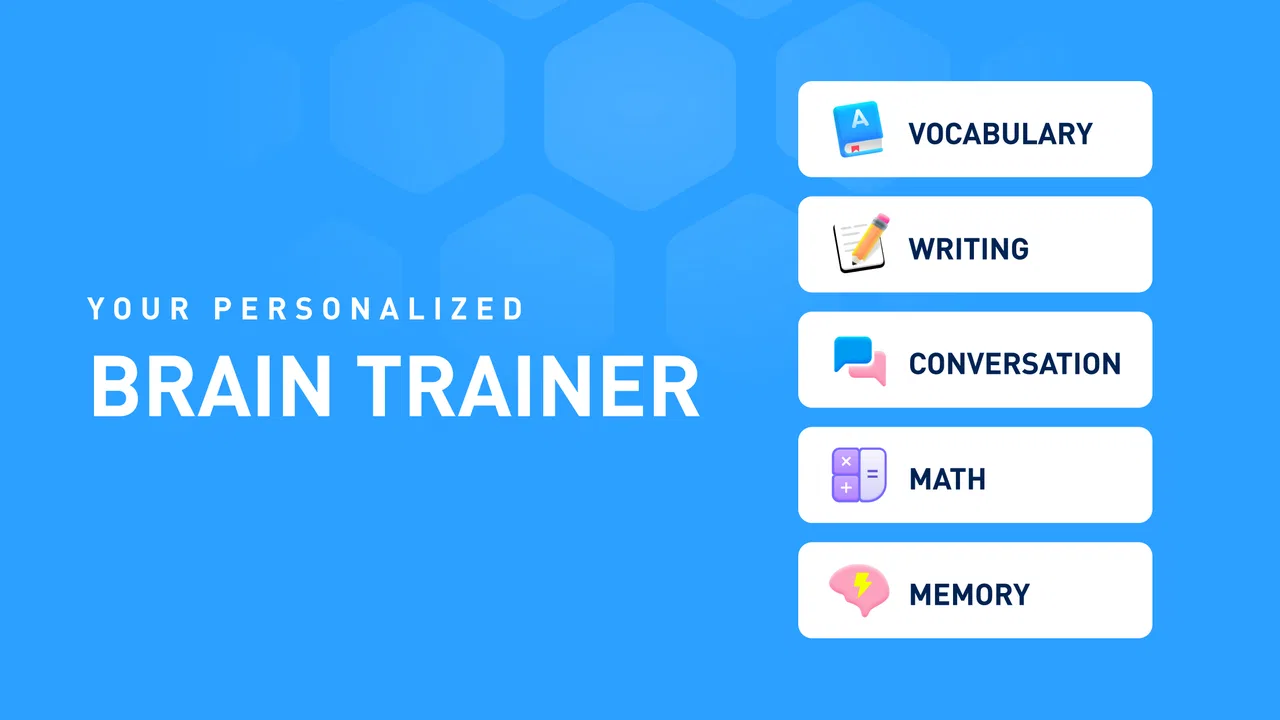
I approached Elevate - Brain Training Games as an everyday learning app rather than a collection of disposable mini-games. Its focus is mental practice through activities involving math, words, grammar, vocabulary, and memory, so the real question is not whether it can replace a course, tutor, or textbook. It cannot. The more useful question is whether it can make short, repeatable practice easier to start and easier to sustain.
That distinction matters. I found the app most appealing when I wanted a compact routine that exercised several language and numerical skills without requiring me to plan a lesson. It belongs to the education category, comes from The Mind Company, and is free to begin. The audience is broad, with an Everyone age rating, although the difficulty and the value of the exercises will naturally vary from one person to another.
The app has built a substantial audience: it has passed ten million installs, carries a 4.6 average from around 502 thousand ratings, and has roughly 50 thousand written reviews. Those figures do not prove that every exercise will suit every learner, but they do suggest that the format has lasting appeal beyond a brief novelty phase.
You May Also Like

 Blood Strike: 2.5 Anniversary
Blood Strike’s Loadouts Turn Every Drop Into a Tactical Gamble
A close look at Blood Strike’s custom loadouts: how fast access to signature weapons reshapes its battle royale rhythm, rewards preparation, and narrows the gap between fights.

 Pandora - Music & Podcasts
Pandora’s Music Is Easy to Start, but Harder to Recover
Pandora’s strength is its low-effort path from a seed to a station. Its weak spot is how much confidence it asks you to place in connection, setup, and quiet recovery.

 8 Ball Pool
 Is Built on Rivalries, Rematches, and Routine
A close look at the rivalries, rematches, shared routines, and unanswered safety questions that turn a quick pool match into a persistent mobile community.

 Samsung Music
’s Quiet Strength Is Playing What You Already Own
Its reach comes less from spectacle than from dependable access to a personal library. That simplicity is both the app’s strongest retention engine and its ceiling.

 AccuWeather: Weather Radar
AccuWeather Review: A Quick, Clear Forecast for Everyday Decisions
For everyday plans, the best forecast is the one you can understand quickly. AccuWeather makes rain timing, radar, and local conditions easy to act on, with a few trade-offs.

 Hill Climb Racing
Why Hill Climb Racing Still Turns Crashes Into One More Run
A tiny car, a bumpy hill and one more upgrade: Hill Climb Racing keeps resurfacing because its simple chaos makes every near-miss feel personal.
More From Our News Desk



How I Would Decide Whether Elevate Fits
I’d use this section to turn the broad review into a simple personal test: whether Elevate’s short, mixed exercises address a real need and fit naturally into the day. I’d pay attention not just to whether I enjoy the first sessions, but whether I can name a skill I want to revisit and a moment when I’ll actually open the app.
Start with the kind of improvement you actually want
Before installing it, I would separate three goals that are easy to confuse. If you want to learn a new language from the beginning, you need structured explanations, progression, and meaningful exposure to real conversation. If you want to prepare for a formal exam, you need material mapped to that exam. If you want to keep your attention active and revisit basic math, vocabulary, grammar, and memory tasks in short sessions, this app is much closer to the right tool.
In my experience, Elevate works best as a practice layer. It gives you a reason to return to skills you already encounter in school, work, or daily life. That makes it especially suitable for someone who enjoys measurable routines but does not want to open a full textbook. It can also be useful for an adult who feels rusty with mental arithmetic or word usage and wants a low-pressure way to notice weak spots.
I would not judge it by asking whether a few sessions make me dramatically smarter. That is the wrong standard for this type of app. I would judge it by whether the activities are clear enough to repeat, varied enough to prevent immediate boredom, and relevant enough that I can connect them with situations outside the screen.
The first-session experience is more important than the download
The main advantage of a training app is reduced friction. I can open it when I have a small gap in my day, choose an activity, and begin working on a defined mental task. That is different from searching for a worksheet, selecting a lesson, or deciding which topic to study from a large library. For busy users, this reduction in decision-making can be more valuable than an impressive list of subjects.
Still, I recommend giving the first few sessions a fair test rather than making a decision after one exercise. A single puzzle may feel too easy, too repetitive, or simply unrelated to your needs. The better test is whether the mix of math, word, grammar, vocabulary, and memory practice gives you enough variety to create a routine. If you only want one narrow subject, the broader design may feel less efficient than a dedicated app.
Another useful criterion is your tolerance for game-like presentation. Elevate turns learning tasks into short challenges, which can make repetition more approachable. However, anyone who prefers long explanations, worked examples, or quiet reading may find the format thin. The app is centered on doing, answering, and returning, not on giving a detailed lecture before each activity.
What I would look for in a daily routine
I would use it at a predictable point in the day, such as after breakfast, during a commute when it is safe to use a phone, or while waiting for an appointment. The goal would be consistency rather than marathon sessions. A short routine also makes it easier to identify whether the app is helping with a real weakness instead of merely producing the pleasant feeling of being productive.
One practical approach is to keep a simple note outside the app. After a week, write down which activities felt difficult and where the same type of mistake appeared. For example, if word tasks are comfortable but grammar prompts repeatedly slow you down, you can use that observation to choose a separate reference or practice source. This is a stronger workflow than treating the app’s exercise selection as a complete diagnosis of your abilities.
I also recommend changing the context occasionally. Do a few sessions when you are fresh and a few when you are slightly tired. That will show whether the challenge is building a usable skill or merely rewarding quick reactions under ideal conditions. The app can support attention and recall practice, but your own reflection is needed to connect those results with everyday performance.
Where Elevate Wins, and Where Another Tool May Fit Better
Here I weigh the practical trade-off: Elevate is appealing when I want varied, low-friction practice, while a focused course, tutor, or reference may serve better when I need detailed teaching or a defined learning path. The key is to choose the tool that matches the work ahead, rather than expecting one app to cover every kind of learning.
Its strongest advantage is the combination of subjects
The clearest reason I would recommend Elevate is its combination of cognitive activities in one education app. Math, vocabulary, grammar, word work, and memory do not require separate downloads or separate routines. That matters for users who want variety but do not want to maintain several subscriptions, interfaces, and progress systems.
This broad mix also helps prevent a common problem with practice apps: becoming excellent at one narrow exercise while ignoring everything else. A person who only plays number puzzles may avoid language tasks, and someone who only studies vocabulary may never challenge recall. Moving between categories gives the routine a more balanced feel, even though it should not be mistaken for a complete curriculum.
I particularly like the possibility of using the app as a warm-up. Before writing, studying, or handling detailed work, a brief word or memory activity can act as a deliberate transition into concentration. That is not the same as proving a permanent improvement in attention, but it is a realistic use case: the app gives me a structured starting point instead of leaving me to scroll through unrelated content.
It is more approachable than traditional study, but less complete
Compared with a workbook, Elevate is easier to pick up when I have only a few minutes. Compared with a classroom lesson, it offers less explanation and less human feedback. Compared with a flashcard app, it covers more than simple recall, but it may be less suitable when I need to memorize a tightly defined list. Compared with a brain-training app focused on one type of puzzle, it offers broader practice but may not provide the same depth in a single area.
That comparison helps clarify the trade-off. Elevate wins on convenience, variety, and the feeling of a guided routine. A textbook or course wins when I need concepts explained carefully. A specialist language app wins when I need pronunciation, conversation, or a planned path through a language. A dedicated arithmetic tool wins when I need repeated work on a specific school topic. I would choose Elevate when the goal is broad mental practice, not when precision instruction is the priority.
A realistic everyday scenario
Imagine someone who works at a desk and notices that they are slower with figures, forget common words, and lose focus between tasks. They do not want a formal study plan after work, but they can spare a short session before opening email. Elevate gives that person a defined set of activities involving numbers, language, and memory. After several days, they can decide whether the routine feels useful and which areas deserve more serious study elsewhere.
For a student, I would use it as a supplement after homework rather than as the homework itself. A grammar activity might reveal that a rule needs review, but the app should not replace the teacher’s explanation. For an older adult who wants gentle mental engagement, the broad subject selection may be inviting, although the person should be comfortable reading instructions and interacting with timed or challenge-based exercises. For a family device, the Everyone rating makes the age positioning accessible, but individual suitability still depends on reading level and preferred difficulty.
Limitations I would take seriously
The first limitation is that short puzzles can encourage speed over understanding. Getting an answer right does not always mean I could explain the underlying rule or apply it in a new situation. With grammar and vocabulary especially, I would follow a difficult item by writing an example sentence or checking a fuller explanation elsewhere. That extra step turns a quick challenge into more durable learning.
The second limitation is repetition. A routine that feels motivating at first can become mechanical if the user approaches every session only as a score chase. I would pay attention to whether I am remembering the skill or merely remembering the format of the exercise. If the latter happens, a book, conversation practice, or open-ended writing task may provide a better challenge.
The third issue is the commercial boundary. The app is free, but in-app purchases range from $0.99 to $399.99 per item. That is a wide range, so I would review each purchase screen carefully and avoid assuming that every useful part is included without cost. Anyone installing it for a child should discuss purchases in advance and use the device’s purchase controls. The free entry point is convenient, but it does not mean the entire experience has no paid layer.
I would also avoid treating the average rating as a personal guarantee. A 4.6 average and a large audience indicate strong general satisfaction, yet people disagree about pacing, difficulty, repetition, and the value of game-based education. My own decision would come from the fit between the app’s short-session format and my actual learning goal.
Version, device fit, and the cost of switching
The current version is 5.221.0, and the minimum operating-system requirement is version 9. That makes the app relevant to many older compatible devices, but I would still check the operating system before planning a shared family installation. Updating an app can also change navigation or the balance between free and paid content, so I would treat the current interface as something to reassess after updates rather than assuming my first impression will remain identical.
The cost of switching to Elevate is low if I am replacing a collection of casual puzzle apps: one download gives me access to several subject areas in the same place. The switching cost is higher if I am leaving a structured course, because I would lose the explanations, sequence, and external accountability that make a course effective. I would not abandon a serious study plan for this app; I would place it beside that plan as a quick practice option.
There is also a time cost. To benefit, I need to return regularly and pay attention to mistakes. If I install it and use it only when bored, it becomes entertainment with educational elements rather than a meaningful routine. A better test is to commit to a modest trial period, note which activities are useful, and stop if the sessions do not connect with a real need.
Who should use it and who should skip it
I would recommend Elevate to adults and students who want variety, short activities, and a gentle nudge toward regular mental practice. It is also a sensible choice for someone who has tried traditional study materials and struggles mainly with starting. The app’s strongest role is to make the first step easy and to keep several kinds of practice close together.
I would be more cautious for a learner with a specific academic target. If you need algebra instruction, detailed grammar teaching, exam preparation, language conversation, or professional certification material, choose a specialist resource first. Elevate can complement that work, but its broad focus is not a substitute for targeted instruction.
I would also skip it if I dislike gamified learning or if I need long-form content. Some people learn best by reading an explanation, asking questions, and producing their own answers. For them, a course, tutor, workbook, or writing-based method may be more satisfying and more effective. The app is not the right choice simply because it is popular; it is the right choice when its compact challenge format matches the way you are willing to practice.
My recommendation
After weighing the convenience against the limitations, I see Elevate as a useful general-purpose education app rather than a miracle solution. I like its range of math, word, grammar, vocabulary, and memory activities, and I think the free starting point makes it easy to test without committing to a full learning system. The Everyone rating and broad audience also make it approachable for many households, provided the exercises suit the individual user.
My recommendation is to try it with a specific routine and a specific purpose. Use it to warm up before focused work, maintain basic skills, or identify areas that deserve deeper study. Keep a note of recurring mistakes, turn those mistakes into follow-up practice, and watch the purchase screens rather than assuming that free access covers every option.
Choose Elevate when you want broad, repeatable mental practice in short sessions; choose an alternative when you need deep instruction, conversation, formal assessment, or a tightly organized course. For me, that clear boundary is what makes the app worth recommending: it does one kind of learning support well, as long as I do not ask it to be something it was never designed to replace.
FAQs for Elevate - Brain Training Games
01What is Elevate - Brain Training Games and how does it work?
Elevate is a cognitive training app designed to improve focus, speaking skills, processing speed, and more. It offers personalized training programs that adjust over time to maximize results. With a variety of games targeting different cognitive skills, users engage in daily exercises that are both challenging and enjoyable.
02Is Elevate suitable for all age groups?
Yes, Elevate is designed for users of all age groups. While primarily targeted at adults, its adaptable difficulty levels make it suitable for teenagers and older adults as well. The app tailors the exercises to the user’s skill level, ensuring that everyone can benefit regardless of age.
03Does Elevate require an internet connection to function?
Elevate requires an internet connection to download initial content and updates. However, once the games are downloaded, users can play in offline mode. This feature makes it convenient for users who wish to train their brains while on the go without constant internet access.
04Are there any costs associated with using Elevate?
Elevate offers both free and premium versions. The free version provides limited access to games and features, while the premium version unlocks all content and provides more comprehensive training programs. Users can choose a monthly or annual subscription for the premium version, depending on their needs.
05How does Elevate measure progress and effectiveness?
Elevate tracks user performance through detailed statistics and progress reports. It provides insights into personal growth across various cognitive areas, allowing users to see improvements over time. The app also adjusts its difficulty based on performance, ensuring continued growth and engagement.
Pros
- Engaging daily challenges boost cognitive skills.
- Personalized training adapts to user progress.
- Sleek design enhances user experience.
- Offline mode for training without internet.
- Tracks progress with detailed performance stats.
Cons
- Limited features in free version.
- Requires regular updates for new content.
- May feel repetitive over time.
- Some games can be overly challenging.
- Subscription can be pricey for some users.

Elevate - Brain Training Games
Gallery